Session replay
Session replay that records the DOM, not video
Watch user sessions back exactly as they happened, with the console, network requests, JavaScript errors and Web Vitals from that moment attached to the timeline. Two lines to install, 100 sessions a month free, and every recording stays on UK infrastructure.
Why DOM session replay beats video recording
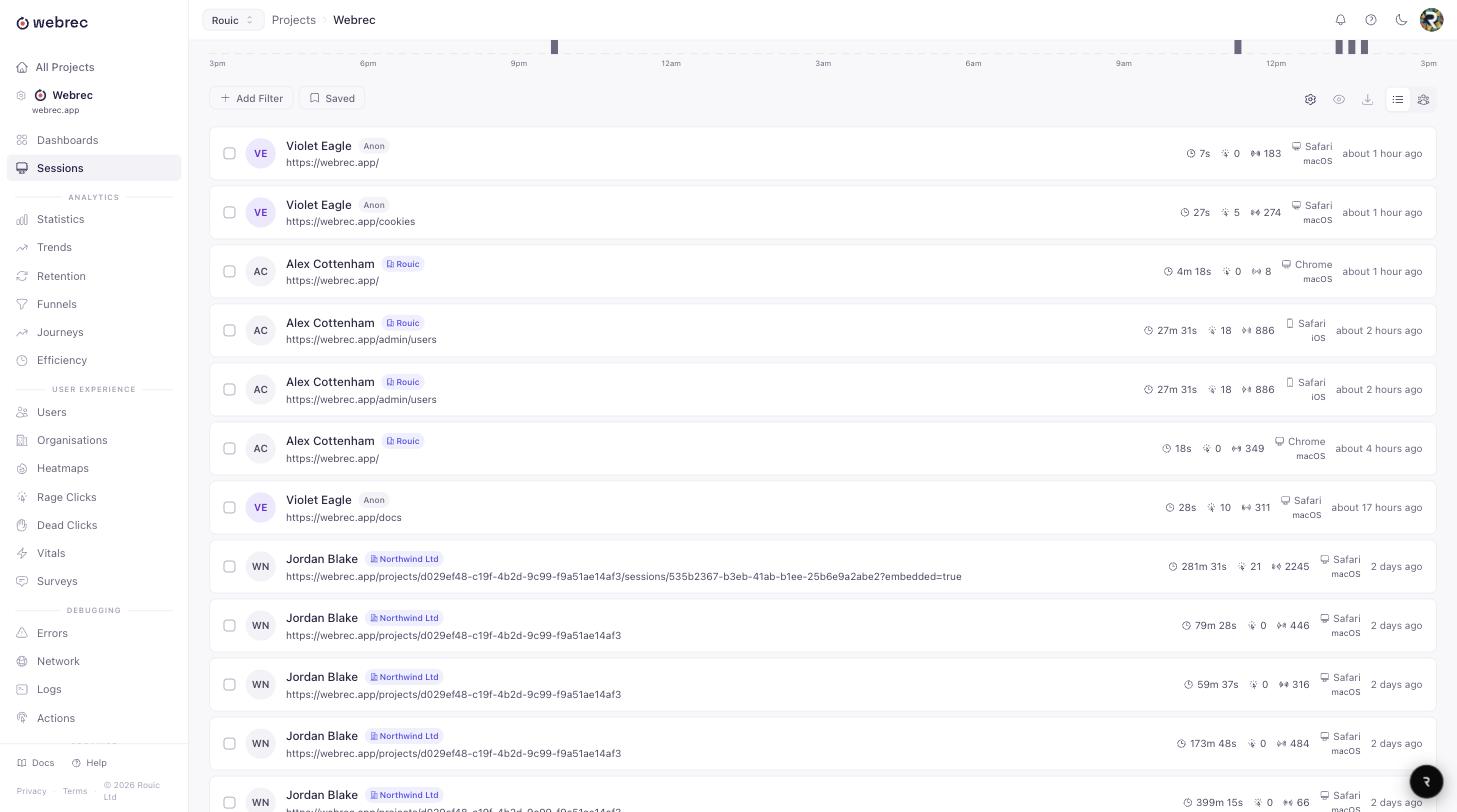
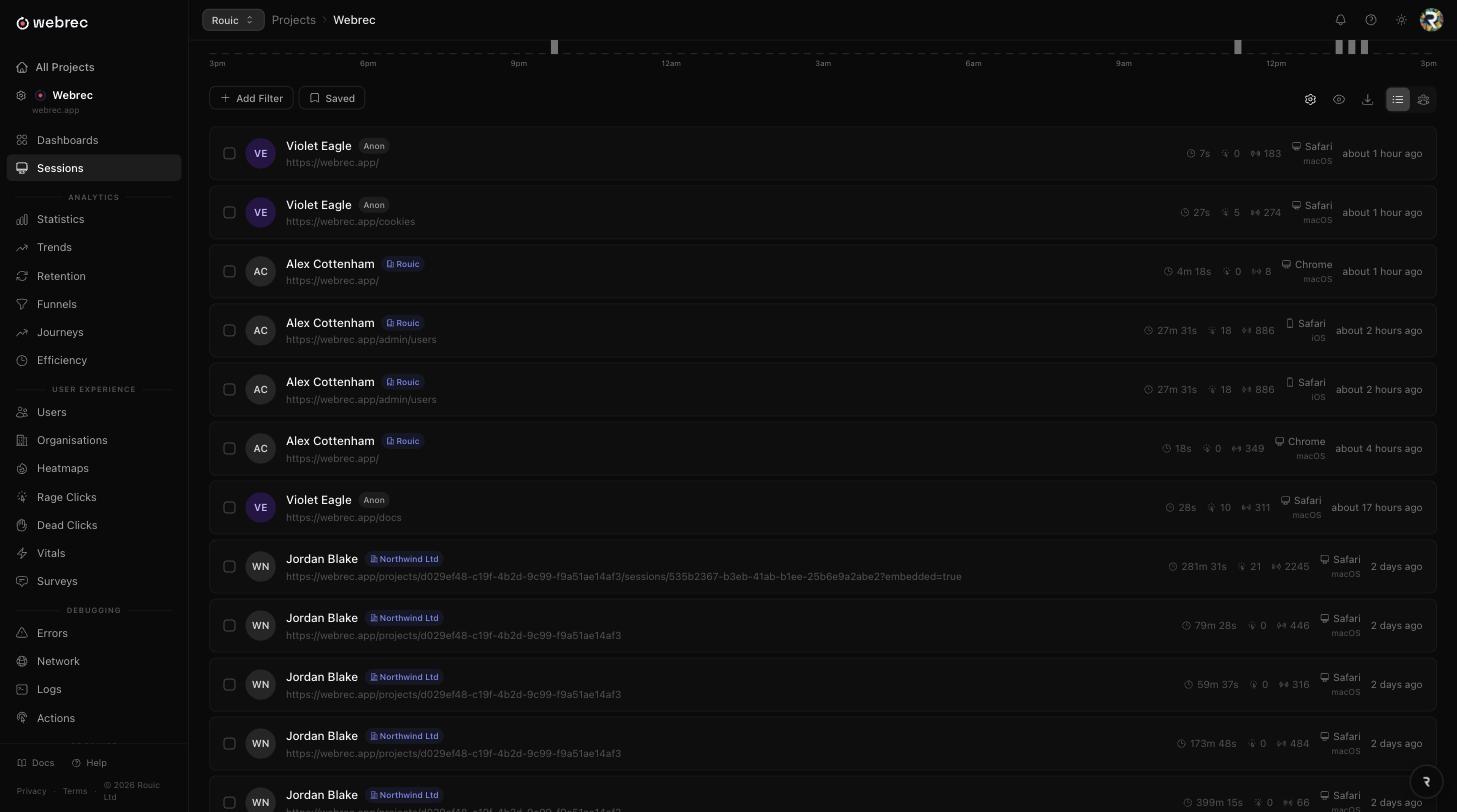
Some session recording tools capture the screen as a video stream. Webrec is built on rrweb, which takes a different approach: it serialises the page once, then records every change to the DOM as a small structured event. The player replays that stream inside an iframe, so what you are watching is a real page being rebuilt, not a compressed picture of one.
Sharper
The page is rendered by the browser at playback time, so text stays crisp at any zoom level and you can resize the player without the picture turning to mush.
Smaller
A mutation diff is a few bytes. A video frame is not. Recordings are gzipped before upload, which keeps bandwidth cost off your users and storage cost off your bill.
Searchable
Every click carries the element it hit. Every error carries its stack. You can find the sessions where a specific button was clicked, which is impossible in a video.
The structured format is also what makes the rest of the product work. The same click events that drive replay feed the heatmaps and the frustration signals, so a rage click in the aggregate view links straight back to the second it happened.
What every session captures
Replay on its own tells you what happened. The signals recorded alongside it tell you why. All of this is captured by the same SDK, with no extra integration to wire up.
DOM mutations
The initial page is serialised once, then every subsequent change is recorded as a diff: nodes added and removed, attributes changed, text rewritten, stylesheets applied. Replay rebuilds the page from those diffs.
Clicks, scrolls and input
Pointer position, click targets with their CSS selector, scroll offsets per scrollable element, focus changes, and text selection. Input values are masked before they leave the browser.
Console output
Log, info, warn and error calls with their arguments and the URL the page was on at the time. Filterable during playback so you can jump to the noisy part of a session.
Network requests
Method, URL, status code, duration and size for fetch and XHR calls, lined up against the timeline so a failed request sits next to the moment the user saw it fail.
JavaScript errors
Uncaught exceptions and unhandled promise rejections with stack traces, grouped across sessions so you can see how many people hit the same bug.
Web Vitals
LCP, FCP, CLS, INP and TTFB measured on the real page load, not in a lab. Slow sessions become searchable rather than anecdotal.
Inside the player
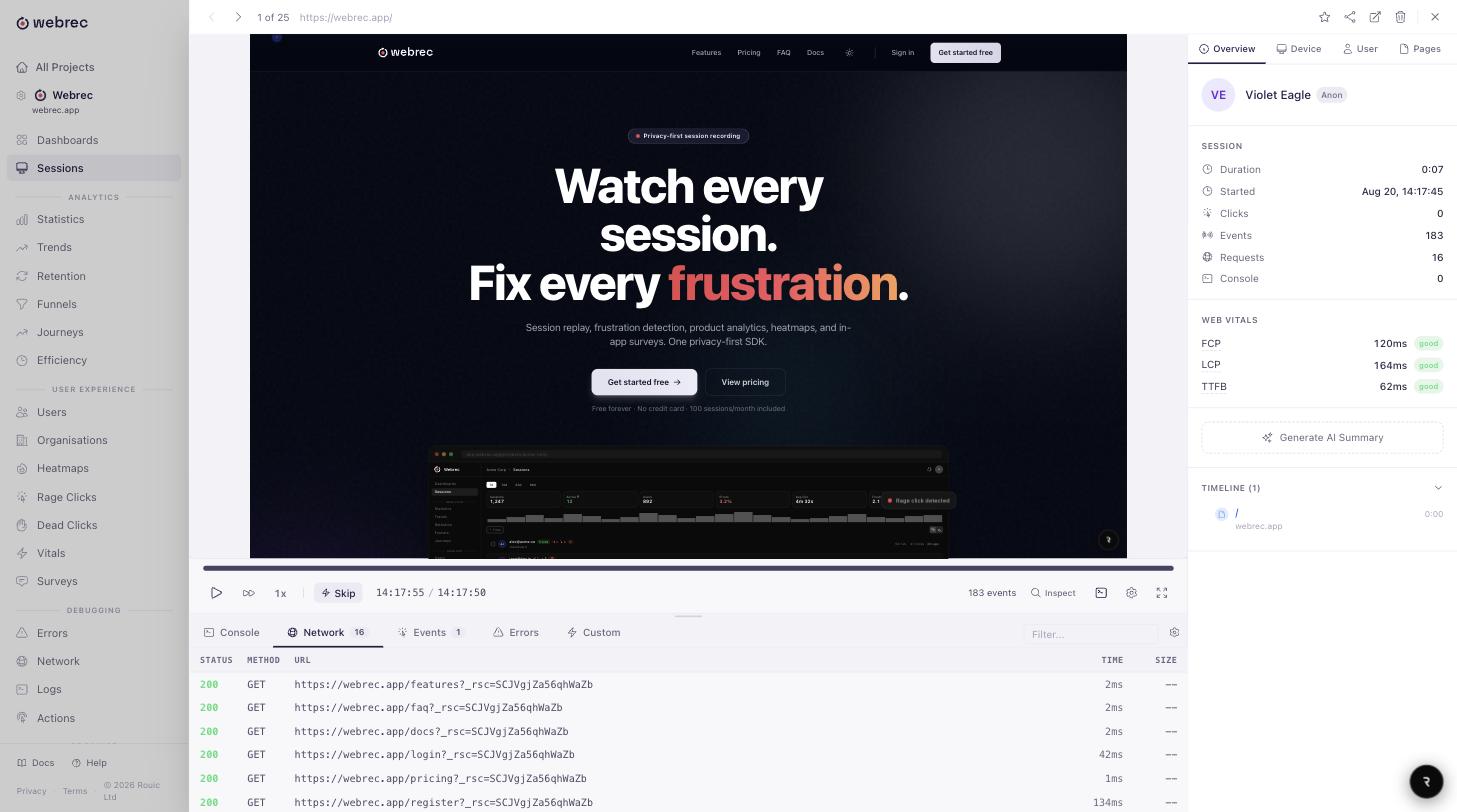
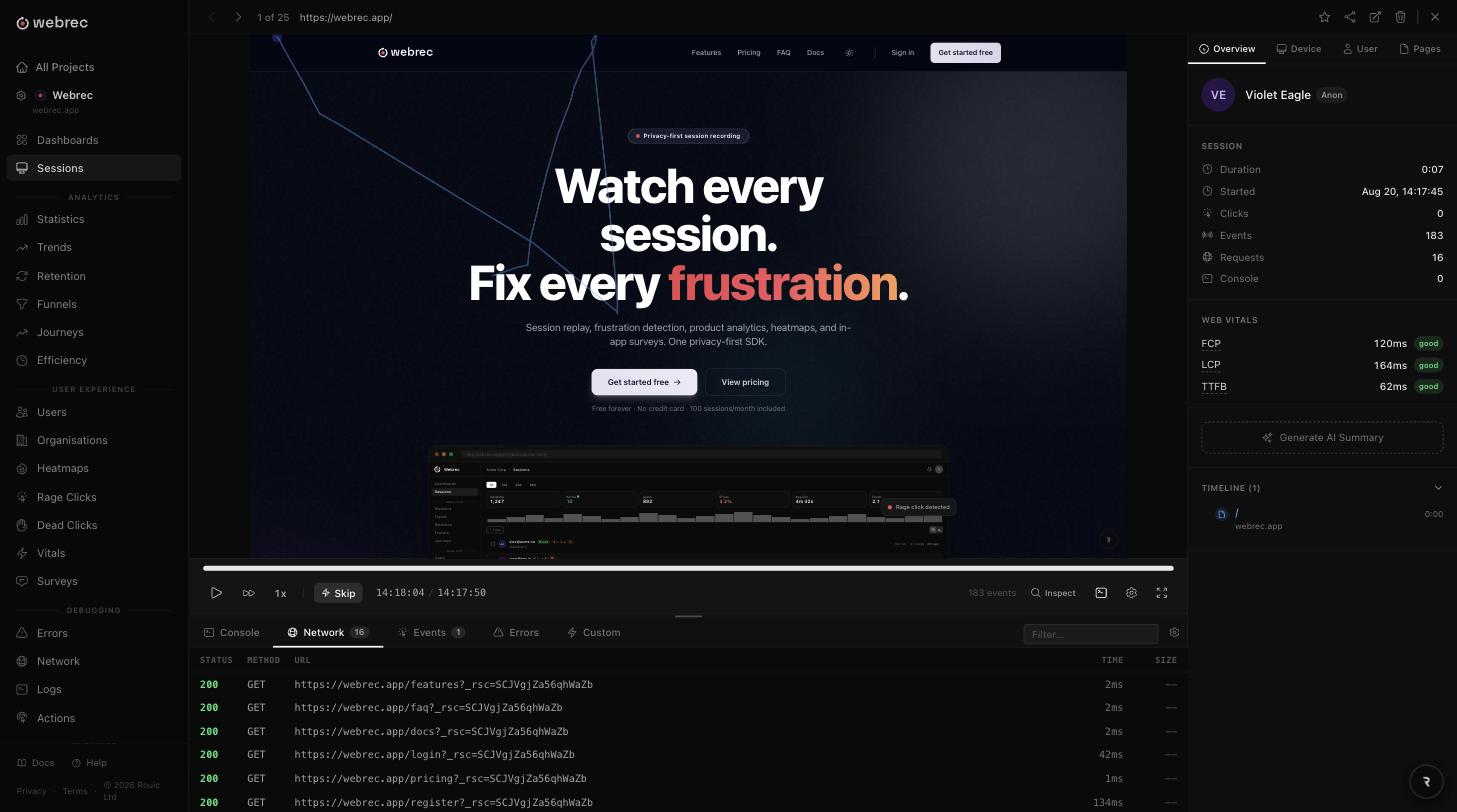
Watching sessions end to end does not scale. The player is built so you can find the interesting thirty seconds in a twelve minute session and get out again.
A timeline with markers, not a blank scrubber
Errors, rage clicks and page navigations are plotted on the timeline. Click a marker and playback jumps to that instant. Inactive stretches are skipped by default, and playback speed is adjustable.
A devtools panel that follows the playhead
Console and network tabs sit under the player and stay in sync with the current time. Filter the console by level or by URL, open a request to see its status, timing, and timing, and read the failure while watching the user hit it.
Inspect mode
Pause and click any element in the replayed page to see its tag, classes and selector. Because replay is real DOM, this is genuine inspection rather than a guess at coordinates.
Summaries, sharing and comments
An optional AI summary describes what the user was trying to do and where it went wrong. Share links let you send a single session to someone without an account, and comments keep the discussion attached to the recording instead of scattered across chat.
Built for single page apps
Client-side routing breaks a lot of recording tools, because there is no page load to hang a new recording off. The Webrec recorder patches history.pushState and history.replaceState, and listens for popstate and hashchange. Every route change becomes a navigation event on the timeline, whether it came from React Router, Vue Router, the Next.js App Router or your own code. One session covers the whole visit rather than fragmenting at each route.
Installing takes two lines. Drop the script tag in for a site without a bundler:
<script src="https://api.webrec.app/v1/webrec.min.js"></script>
<script>
  WebRec.init({ apiKey: 'wr_your_project_key' });
</script>
Or install the package and initialise from your application entry point:
npm install webrec-sdk

import { WebRec } from 'webrec-sdk';

WebRec.init({ apiKey: 'wr_your_project_key' });
The SDK is 50KB gzipped and adds under 1% CPU overhead. Sessions appear in the dashboard within seconds. Framework specific guides for React, Vue, Svelte, Angular and plain HTML are in the documentation.
Recording responsibly
Session replay is only useful if you can defend it in a privacy review. Inputs are masked by default, which means the value never leaves the visitor’s browser rather than being hidden later on the server. You can mask or block additional elements with a CSS selector, so an account balance or a medical field never gets serialised in the first place.
Do Not Track and Global Privacy Control are respected, and those visitors are not recorded at all. Everything that is recorded lands on Webrec’s own UK infrastructure, operated by Rouic Ltd, and session data stays in the UK. Retention is set per project: past the limit a recording stops being visible, and it is erased from the database and from storage 30 days later.
Session replay questions
Is session replay a video recording?
No. Webrec records the DOM, not pixels. The player rebuilds the page in an iframe from the serialised markup and a stream of mutations. That is why replays stay sharp at any window size, why text is selectable, and why a long session is a few hundred kilobytes rather than tens of megabytes.
Will it slow my site down?
The SDK is 50KB gzipped and runs under 1% CPU overhead. Recording happens in the background using batched, compressed uploads, and it is designed to fail quietly: if the recorder throws, your application keeps running. Nothing blocks page render.
Does it work with React, Vue and Next.js?
Yes. The recorder hooks pushState, replaceState, popstate and hashchange, so client-side route changes are recorded as navigation events regardless of which router you use. React Router, Vue Router and the Next.js App Router all work without extra configuration.
What do you do about sensitive data?
Inputs are masked by default, so passwords, card numbers and form contents are replaced before the event leaves the browser. You can mask or block any element with a CSS selector. Do Not Track and Global Privacy Control are respected, and those visitors are never recorded.
Where is the session data stored?
On Webrec’s own UK infrastructure, operated by Rouic Ltd. Session data stays in the UK. Recordings are stored compressed and are deleted according to the retention window you set on the project.
How much does it cost to start?
The free plan gives you 100 sessions a month with every feature and no credit card. Paid plans start at $30 USD a month for Starter with 2,500 sessions, and the pricing page shows pounds and euros too. Every plan includes unlimited team members, so there is no per-seat pricing to work around.
More detail lives in the full FAQ, the features overview, and the comparison against other replay tools. If you are here for the bugs rather than the behaviour, start with error tracking.
Watch your first session today
Install the SDK, reload your site, and the recording is waiting. Start with 100 free sessions a month. No credit card, no sales call.